UI#
The UI node renders a UI in the Flow Run.
It does not allow completion of the run until all the required elements inside the UI are filled.
Default values:#
These values will be set before the user starts the UI. The values can be changed by the user.
You can set a static default value (Example text value) or use a Flow Variable (Start / User / First name).
Once a default value is applied to a UI it will not be set again.
Bindings:#
The Binding are UI elements which are disabled (users cannot change their value).
You can use them to bind a Flow Variable to UI element.
The bound value in the UI will be updated every time the UI is visited.
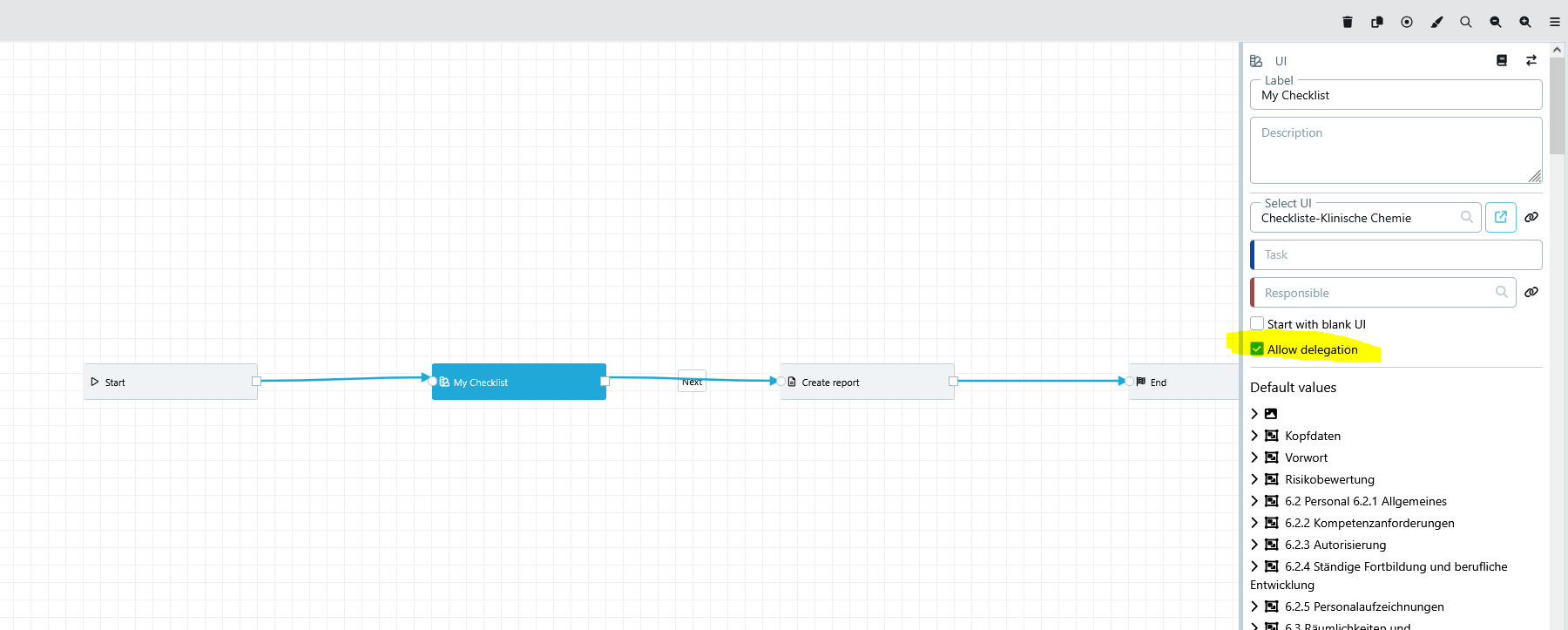
Allow delegation#
Enable this option if the current assignee of the UI task should be allowed to delegate the task to another user or group.
This is useful for tasks that may need to be handed over during processing without changing the Flow design.
The following example shows where the option can be enabled in the UI node configuration.
Notes:#
The UI node can only have exactly one response per Flow run. If you want to have multiple responses of the same UI within the same Flow, please add multiple UI nodes.
See Flow Designer, UI Designer