 Creator
Flow Selection#
The Flow Selection element allows users to select a Flow. It is useful when the selected flow should be stored, passed to a later step, or used by other flow logic.
Settings#
- Required: If enabled, the user cannot complete the UI without selecting a flow.
- Restrict to specific Flows: Limits the available choices to selected Flows. Pick the Flows one by one; each one is listed under the setting and can be removed again. Turning the setting off clears the list. The tag filters still apply on top of the selection.
- Positive tag filter: Only shows flows that have all selected tags.
- Negative tag filter: Hides flows that have any selected tag.
- Display style: Controls how the selectable flows are presented.
- Button width: Available when Display style is set to Buttons. Choose Adjust to label for dynamic button widths or Equal for equal-width buttons.
Display Style#
Flow Selection supports the following display styles:
- Dropdown: Shows flows in a searchable dropdown. This is the default display style.
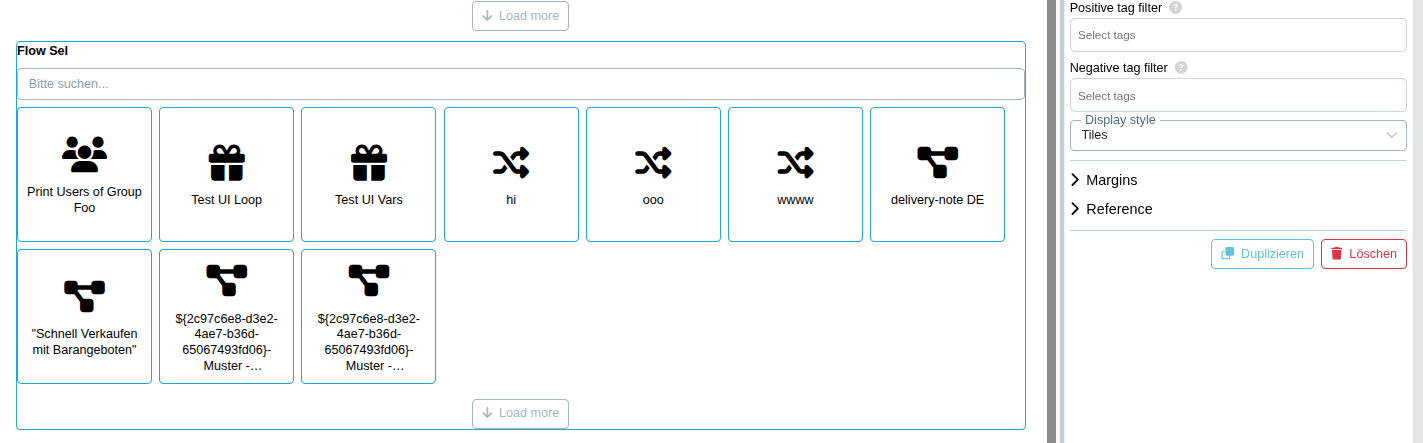
- Tiles: Shows flows as selectable tiles with the flow icon and title.
- Buttons: Shows flows as selectable buttons with the flow icon and title.
Tiles and Buttons load the first 10 flows automatically. Use Load more to append another set of flows. The search field filters the available flows. Clicking the currently selected tile or button clears the selection again, which allows a default value to be removed by the user.
Tiles#
Tips#
You can use this element together with the Business Object Flow property.
See UI Designer