Selection#
The Selection property lets users choose one value from a predefined list of options, for example "Open", "In progress", "Done".
Settings#
- Options: Define the list of selectable values. Each option has a label (supports multiple languages) and an optional icon. Options can be reordered via drag-and-drop.
- Required: If checked, a selection must be made before saving
- Readonly: If checked, the value cannot be changed by users
- Show in card: Display this property on the Business Object card in list/board views
- Show in label: Include this property in the Business Object display label
- Conditions: Configure when this property should be visible or required based on other property values
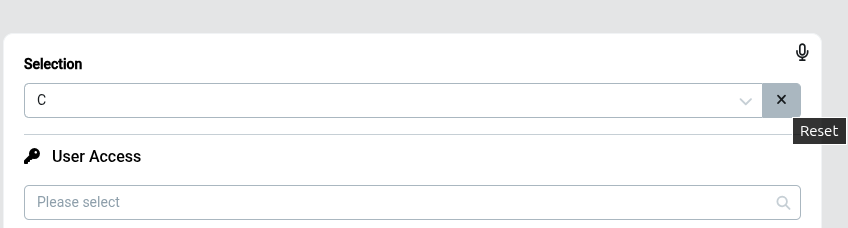
Reset Selected Value#
It is possible to reset (clear) the selected value by clicking the reset icon next to the selection field.
Option Colors#
Each option can be assigned a color. Once set, the color is rendered consistently wherever the option appears — on Business Object cards, in list and board views, and in selection fields — so values are easier to scan and distinguish at a glance.
Tips#
Use Status instead if you need color-coded options, or Stages for a step-by-step progression with icons.
See Model Designer