Multi-Language Text#
The Multi-Language Text property can be used to store a different text for each of the supported languages.
For example: English - Today, Deutsch - Heute, Français - Aujourd'hui, Español - Hoy, Português - Hoje, ...
Automatic translation#
With Auto translate switched on, the property fills in its other languages by itself: whenever a Business Object is saved, every empty language of this property is translated from the text that was entered.
- Choose the Integration that translates: a DeepL or OpenAI integration of your account.
- Under Translate into, pick the languages you need. With none selected, the property translates into all languages.
- Only empty languages are filled in. A text that someone typed in a language is never overwritten, and you can correct any automatic translation by editing the object.
- Every language is translated directly from the text as it was written: from English when the object has an English text, otherwise from the language that was filled in. A German text therefore goes straight into French, Italian and Polish, not via an English translation.
Language-Based Filtering#
Multi-Language Text properties can be filtered based on the language currently active for the user.
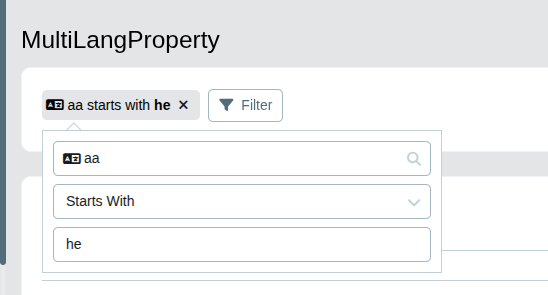
See Model Designer