Tag Management#
Tags are lightweight, color-coded labels that are shared across your whole account. The same tag can be attached to many kinds of entities — Flows, UIs, Templates, Automations, Collections — so you can group, filter, and visually distinguish related items wherever they appear.
Tag Management is the dedicated section (reachable from the main navigation) where the available tags are defined and maintained centrally.
Attaching tags to an entity#
You add tags directly from an entity's editor or overview using the tag picker:
- Start typing to see type-ahead suggestions of existing tags.
- If nothing matches what you typed, a “Create
<label>” option appears — selecting it creates the tag and attaches it in a single step, with no need to pre-create it in Tag Management first. - Attached tags appear as chips; remove one by clearing its chip.
Because the catalog is account-wide, a tag you create while editing a Flow is immediately available when tagging a UI, Template, or Business Object.
The tag overview#
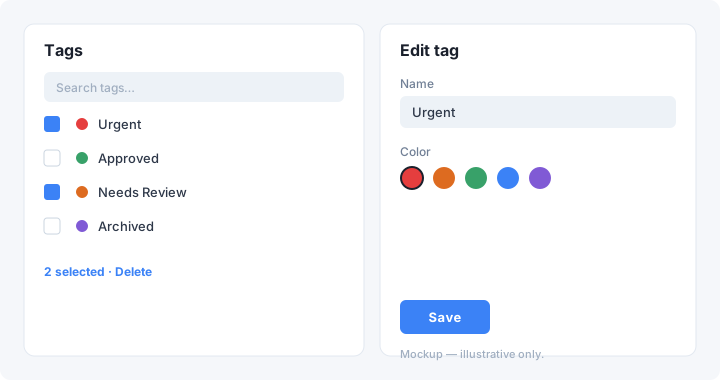
The overview lists every tag in the account and supports:
- Search to quickly locate a tag by label.
- A checkbox selection list — tick one or more tags to act on them together (for example, to delete several at once).
- Row click navigation — clicking a row opens that tag's detail page rather than an inline modal, giving a clearer, dedicated editing space.
Each row shows the tag's color and label.
The tag detail page#
Opening a tag shows a detail page where you can:
- Rename the tag. The label supports multiple languages — pick a language from the dropdown and enter the label for it.
- Recolor the tag with the color picker, or Remove color to fall back to the default. The chosen color is applied consistently wherever the tag appears — on chips, in lists, and in views.
The detail page also shows where the tag is used, broken down by entity type (Flows, UIs, Templates, Automations, and Business Models) with a count for each, and lets you open any of those items directly.
Changes are saved from the detail page; the overview reflects them immediately.
Filtering by tags#
Overviews and lists that support tagging can be filtered by tag, letting you narrow long lists down to the items that carry a given label.
In the Flow Designer, the UI Selection and Flow Selection elements can additionally restrict their selectable options by tag:
- Required tags — an item must carry all of the selected tags to be selectable.
- Excluded tags — items carrying any of the selected tags are hidden.
Permissions#
Tag access is governed by dedicated permissions for creating, reading, updating, and deleting tags, assignable per role. The Tag Management section is only shown to users who are allowed to read, update, or delete tags.
Note: Deleting a tag removes it from the central catalog so it can no longer be assigned — it does not strip the tag from entities that already use it.